
01 / Personal project · Strategy, brand and product
Haber
A personal tool → a brand people can trust.
Independent personal project. Its presentation does not imply authorisation, production, participation, validation or endorsement by ATREVIA or its clients. The films and screens show demonstration data. The banks and shops that appear in them, and the brands cited in the research, are references only, with no affiliation. The app interface is in Spanish, the language of the market it was built for.
02 / The challenge
Personal finance apps tend to open with the same request: access to your bank. In return they categorise for you, but your transactions leave your phone. The alternative, logging by hand, usually ends up in a spreadsheet nobody opens.
The challenge was an app as quick as a note and as reliable as a bank statement, one that earned trust without connecting to anything.
03 / The question
What makes a finance app feel trustworthy before it shows a single number?
04 / Research
Ten references. Six patterns.
I reviewed digital banks, brokers and budgeting apps, looking for the specific decision behind their premium feel. Not how they look: the decision.
Trade Republic
Restraint is the luxury. Colour only when it means something.
Mercury
Stepping away from fintech blue and green already sets you apart.
Copilot Money
People pay for the absence of friction, and for polish.
Monzo
A colour of your own, used with discipline, is remembered.
N26
White space communicates calm and control.
Revolut
Following the platform's language reads as quality.
Liquid Glass
Glass belongs in the bars. Never behind a figure.
Monarch · Simplifi
They look backwards. Forecasting upcoming charges is a gap.
Fintonic
Spain's benchmark connects to your bank. Privacy is unclaimed ground.
YNAB
A metric of your own ends up becoming part of the brand.
01
Chromatic restraint
Near-monochrome neutrals and a single brand colour.
02
Figures as typography
The number is the main graphic element on the screen.
03
A material of its own
Metal, glass, cinematic dark. Something that is yours alone.
04
Looking ahead
Saying what will happen this month, not just what happened.
05
Micro-interaction
Haptics on save and short transitions. No confetti.
06
Visible trust
Where the data lives, where each figure comes from and how to undo.
05 / Insight
People abandon a finance app for two reasons: logging takes effort, or they stop believing the numbers.
Haber was designed against both. An expense takes three taps to log, and every figure comes from the transaction ledger, to the cent.
06 / Positioning
A well-kept ledger. On your phone, and nowhere else.
Precision
To the cent
Every amount comes from the transaction ledger, stored as whole cents. The interface never does its own adding or rounding.
Privacy
Nobody in between
No account, no cloud and no connected bank. The data lives on the device, and you make the backups.
Calm
No false urgency
No invented alerts. Whatever needs your attention is marked in brass, not red.
07 / Name
Haber
haber What a person has: their assets. In accounting, one of the two columns in every account: debe and haber, debit and credit.
- CuadraDiscarded · it adds up
- CaudalDiscarded · flow, fortune
- CéntimoDiscarded · cent
- HaberChosen · assets, credit
Short, serious and approachable. It speaks of what you have, not what you spend, and it comes from the same ledger that inspires the product. It works written down and said out loud.
08 / Identity
Paper money.
I explored three directions and chose the one that speaks of money and security at once: the craft of banknotes, brought to an interface.
A · Paper money
ChosenBanknote-green ink, guilloché engraving, a serial number and microtext. Brass for whatever needs attention.
B · Vault
DiscardedPrivate banking, dark by default and a single brass. Strong on exclusivity; gold on black verges on cliché and reads worse in sunlight.
C · Ink
DiscardedBlack and white with a single signal colour. The boldest and the coldest, and too close to an industry benchmark.
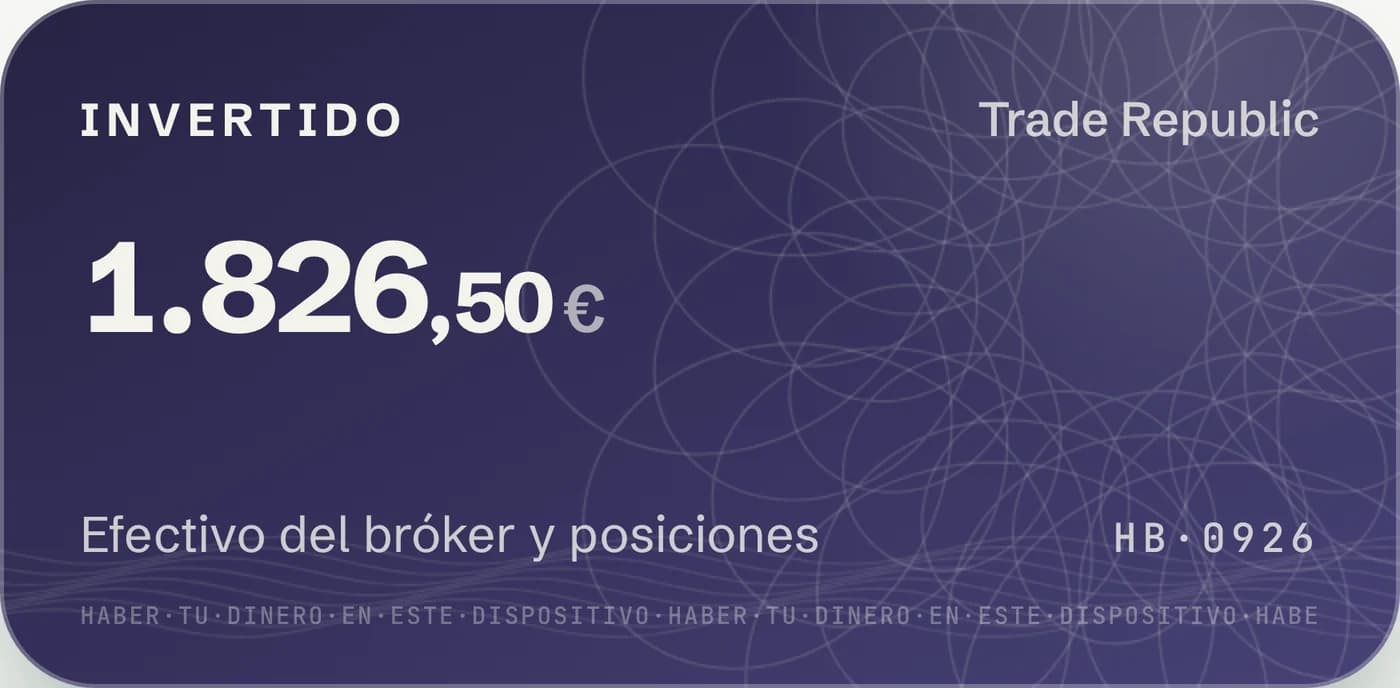
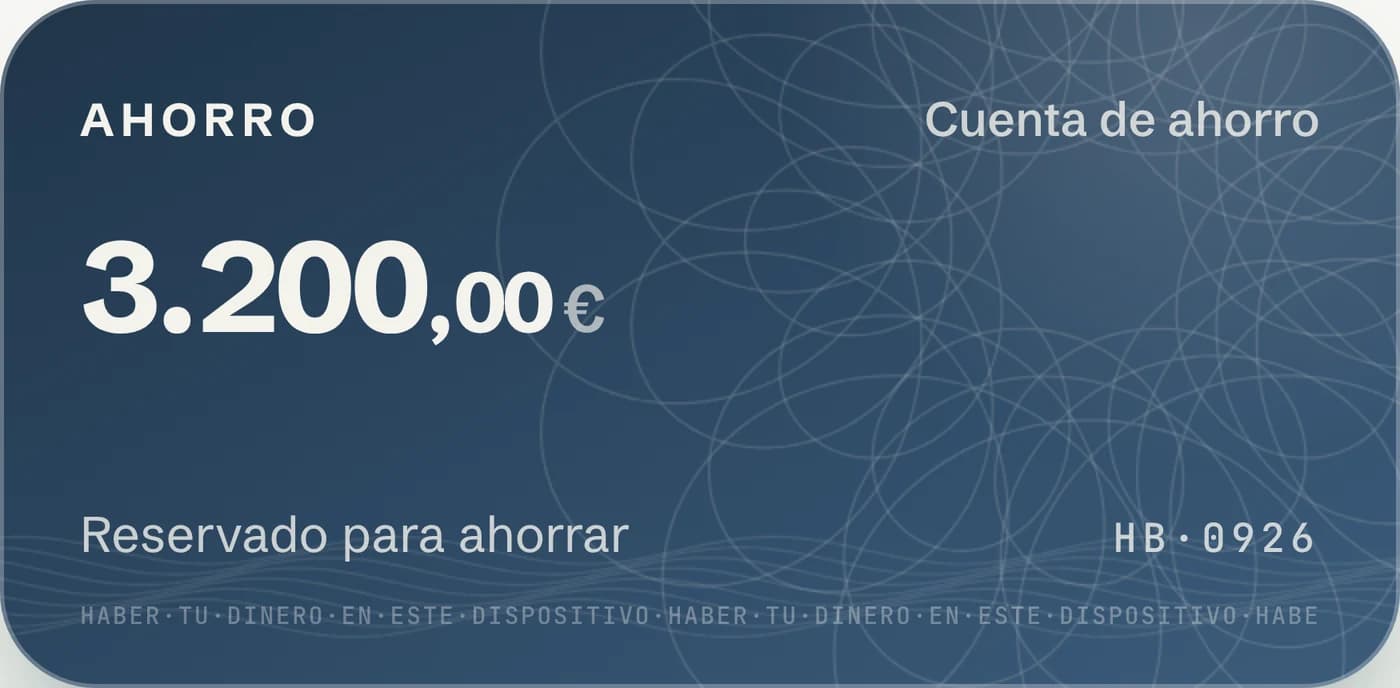
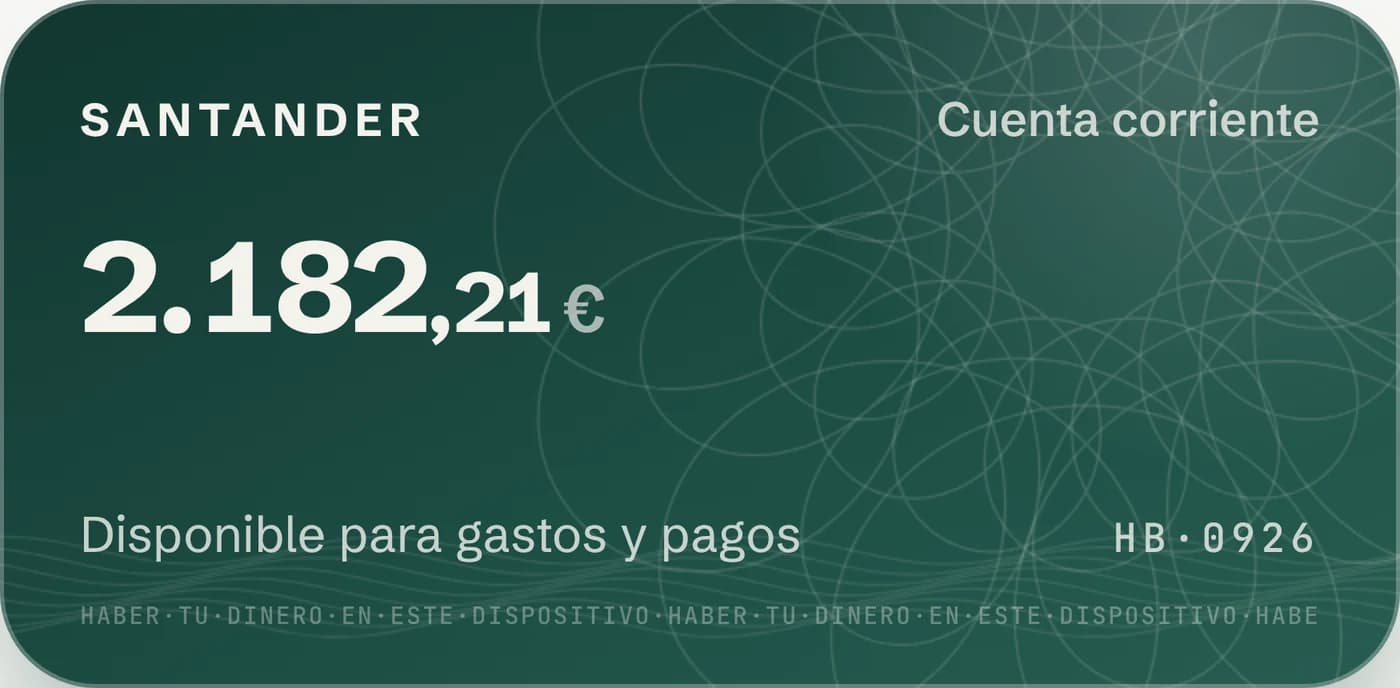
Guilloché
Engraving generated in code. Every wallet has its own, and it stays the same between sessions.
Serial number
HB·0926: the current month, as on a banknote.
Microtext
The brand promise printed as a security feature: HABER·TU·DINERO·EN·ESTE·DISPOSITIVO (your money, on this device).
The figure leads
One main figure per screen, smaller decimals and Spanish formatting throughout: 1.234,56 €.
- Banknote · main
- Ocean · savings
- Indigo · invested
- Copper · cash
- Slate · credit
- Silver · broker
2.182,21€
Schibsted Grotesk · interface and figures
HB·0926
JetBrains Mono · serial and microtext
09 / Product
Looking ahead, without losing your calm.
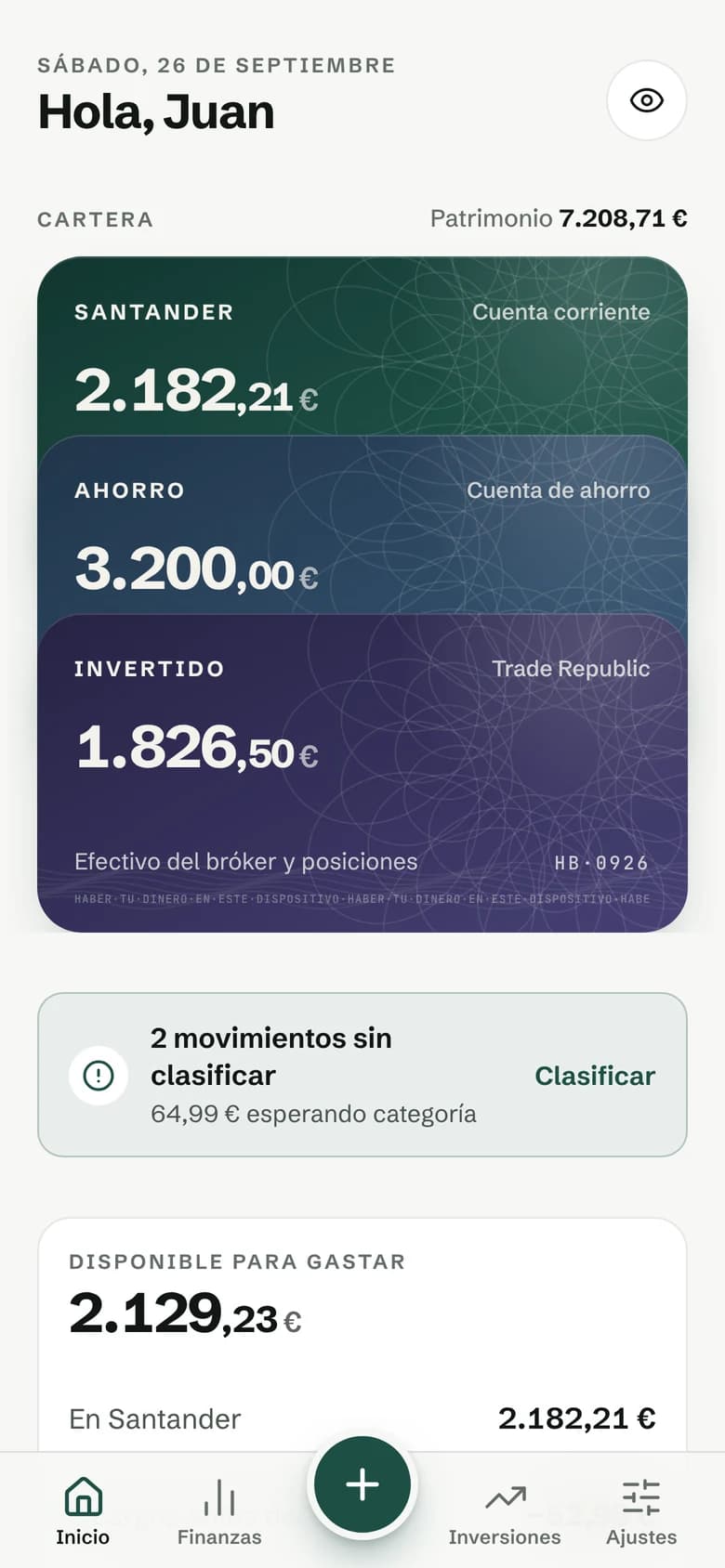
01 · Available to spend
The figure that matters isn't the balance.
It's what you can spend until the end of the month, with pending fixed costs and protected money already set aside.
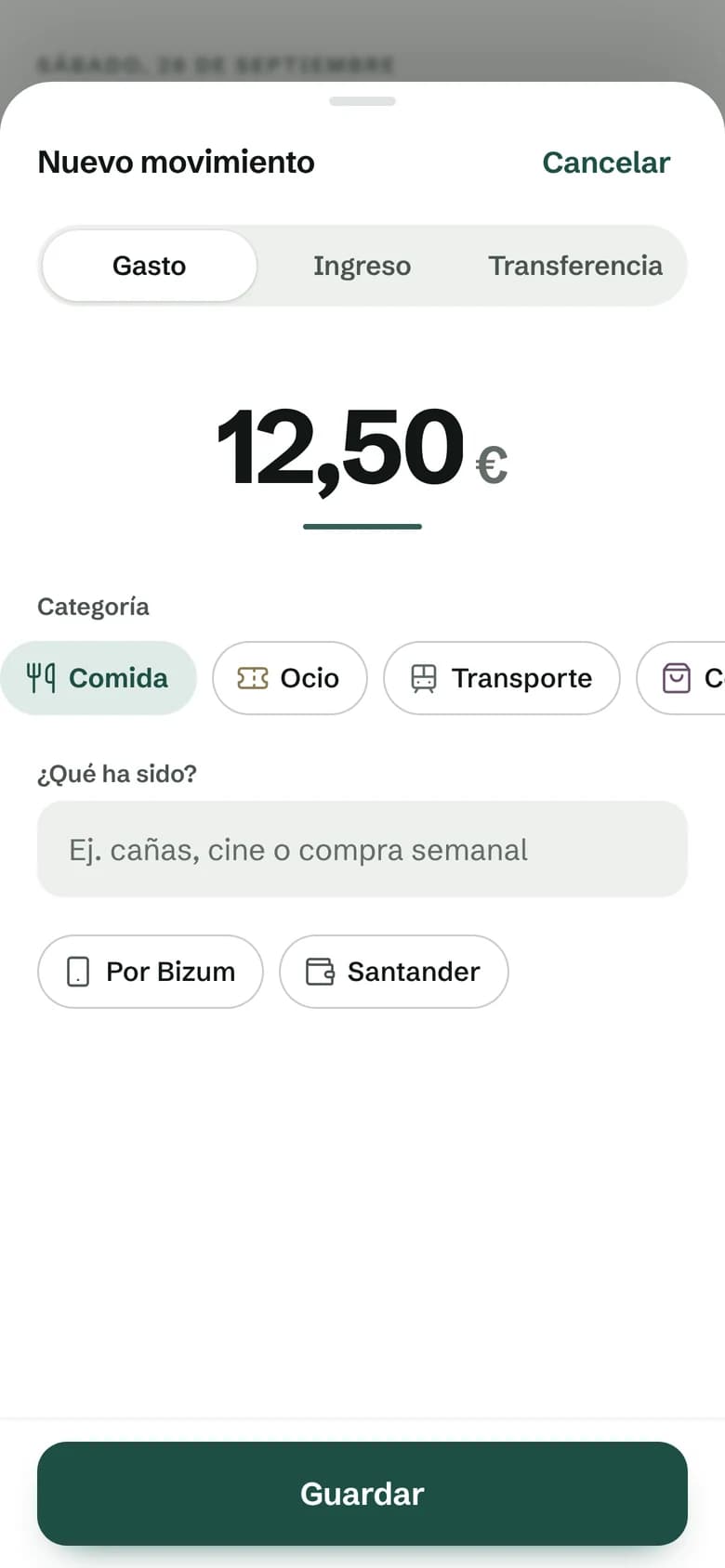
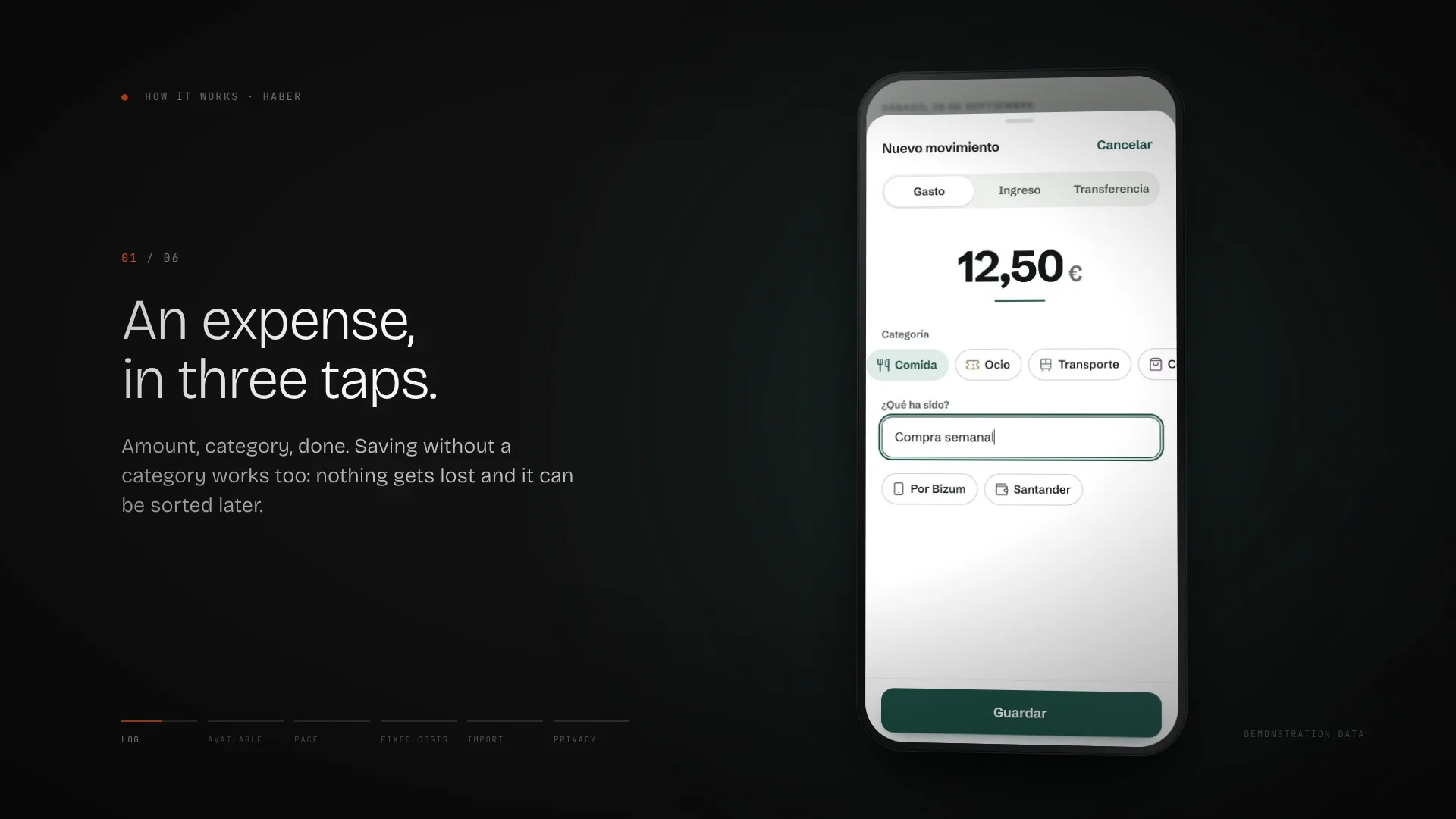
02 · Capture
An expense, in three taps.
The amount, the category, done. If you're unsure, save it without a category and sort it later: nothing gets lost.
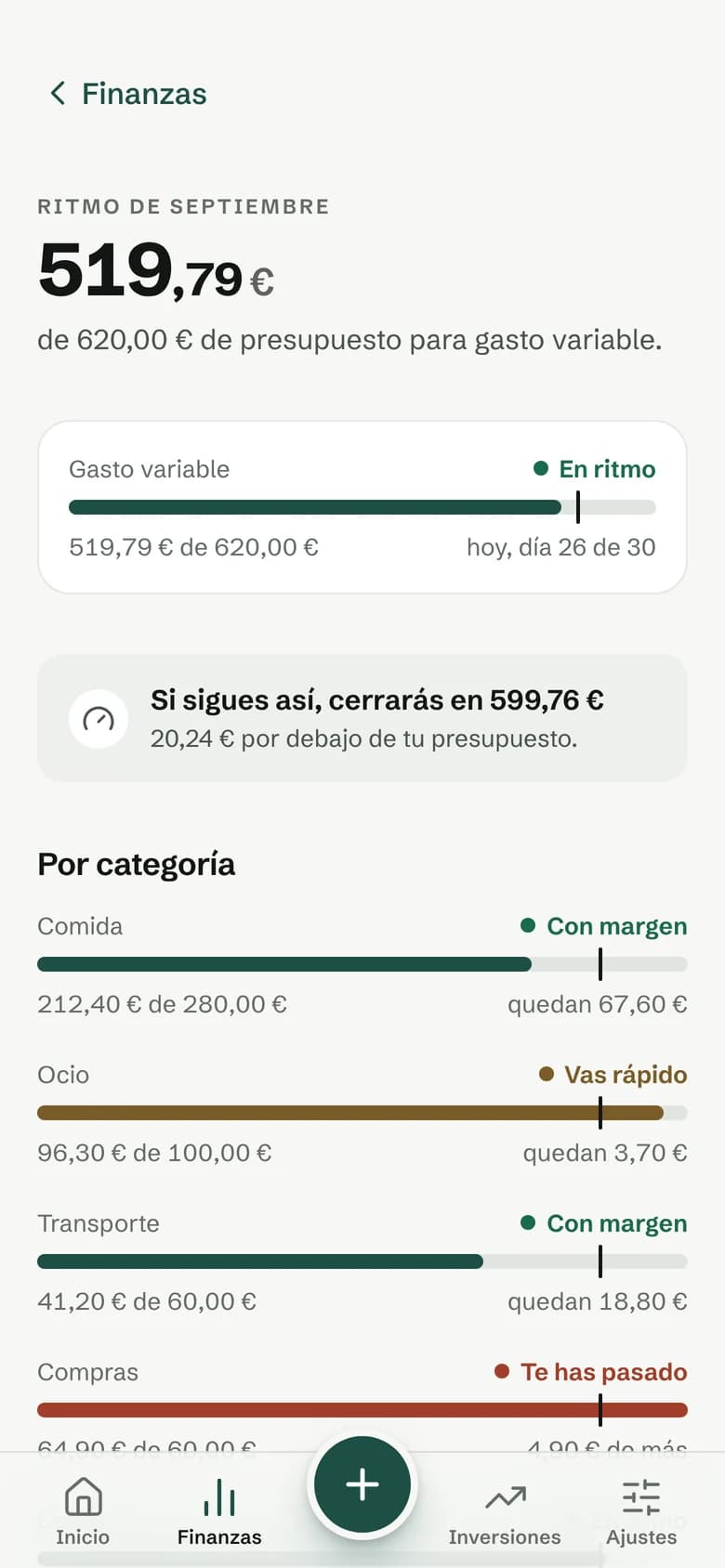
03 · Monthly pace
The month, with today marked.
Budget by category, showing where today falls and the projected month-end.
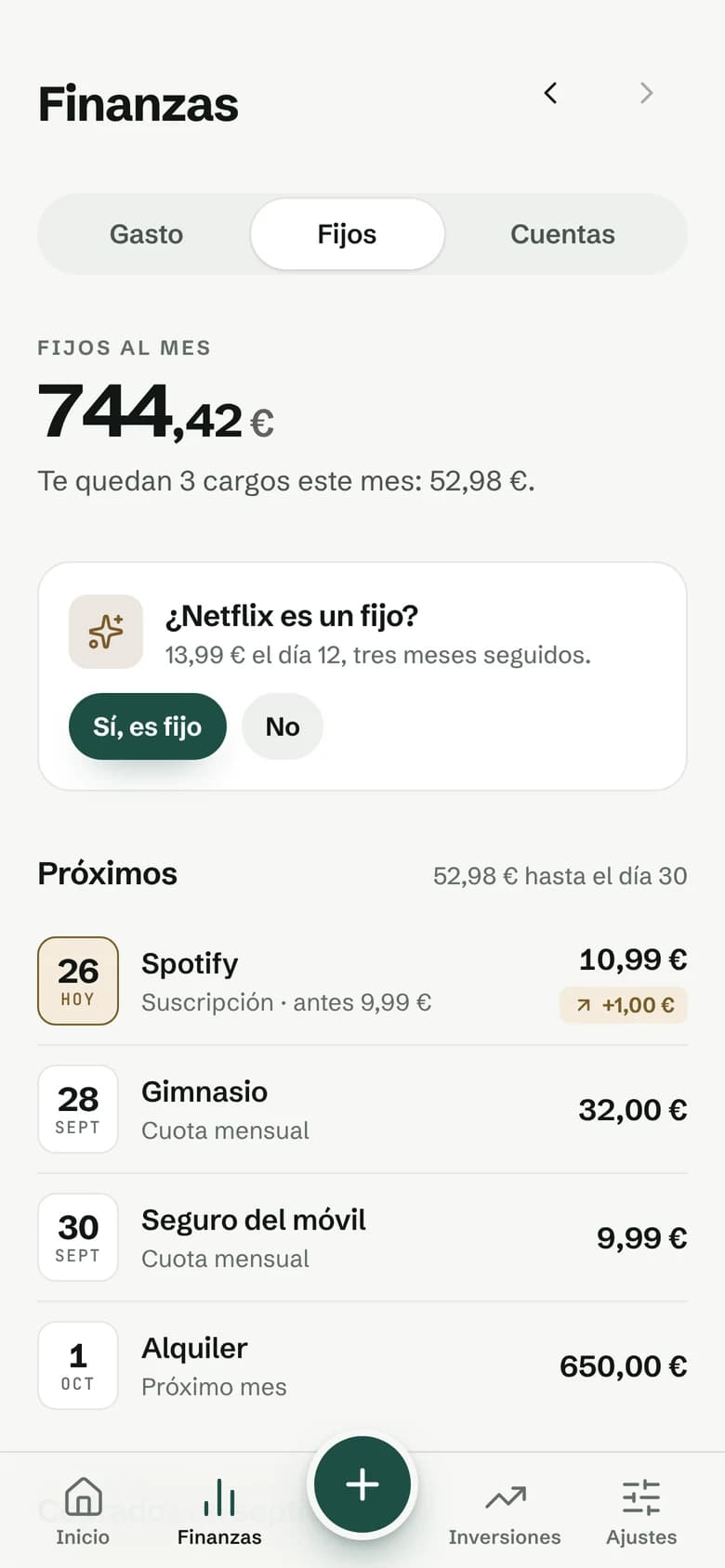
04 · Fixed costs
Charges, before they arrive.
A calendar of charges, detected recurring payments and an alert when a subscription changes price.
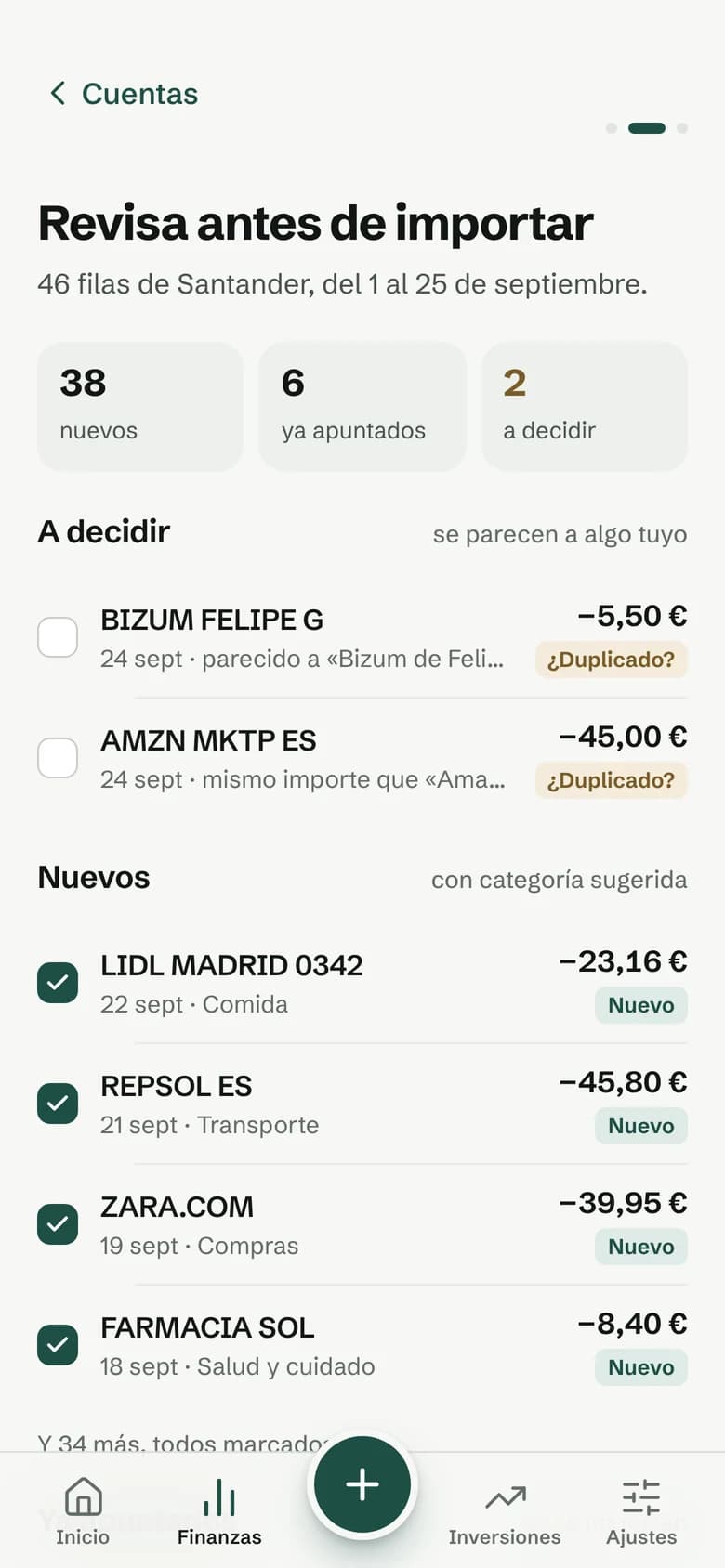
05 · Statement import
Your bank statement, without duplicates.
Preview, a review of possible duplicates, and undo. The file never leaves the phone.
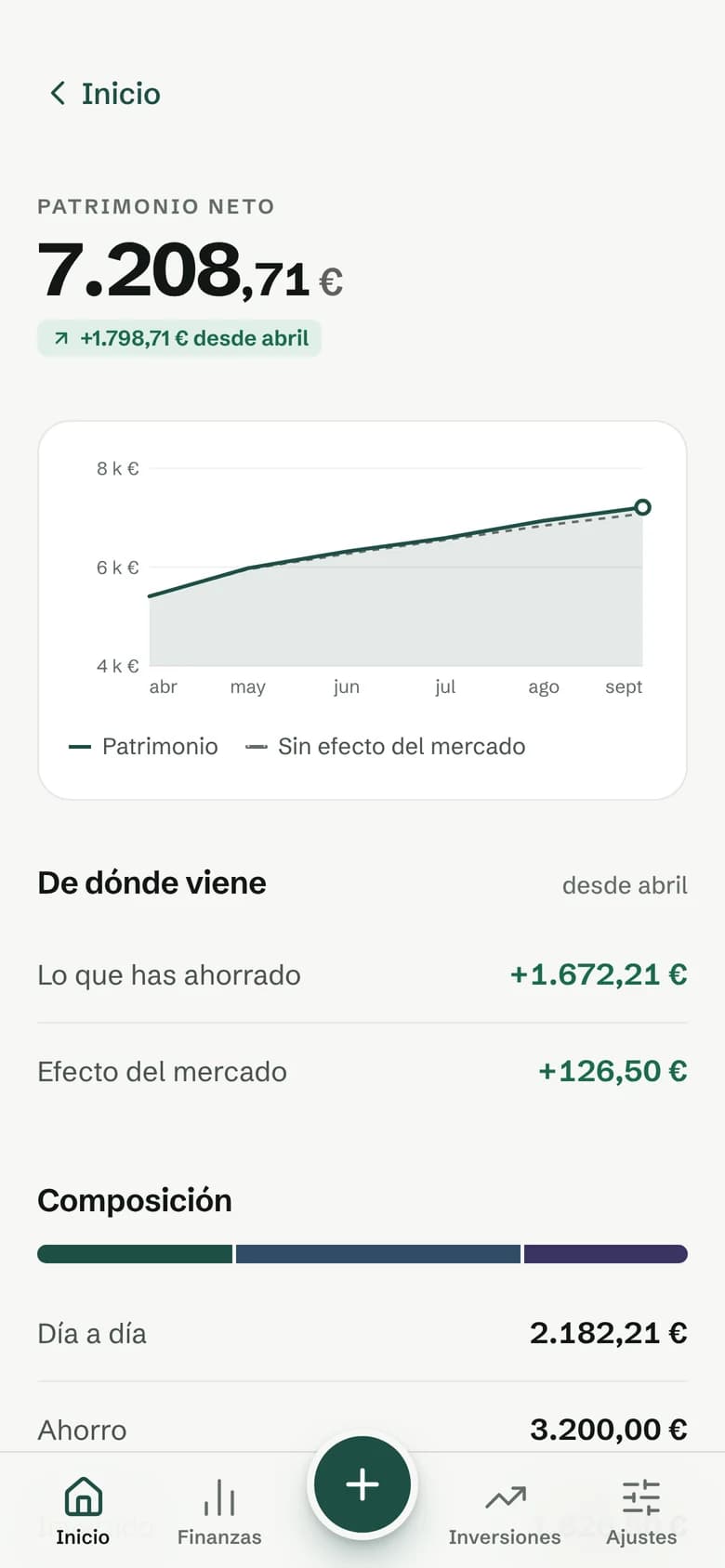
06 · Net worth
What you put in and what the market does, kept apart.
Observed values only: the app never invents months it didn't record.
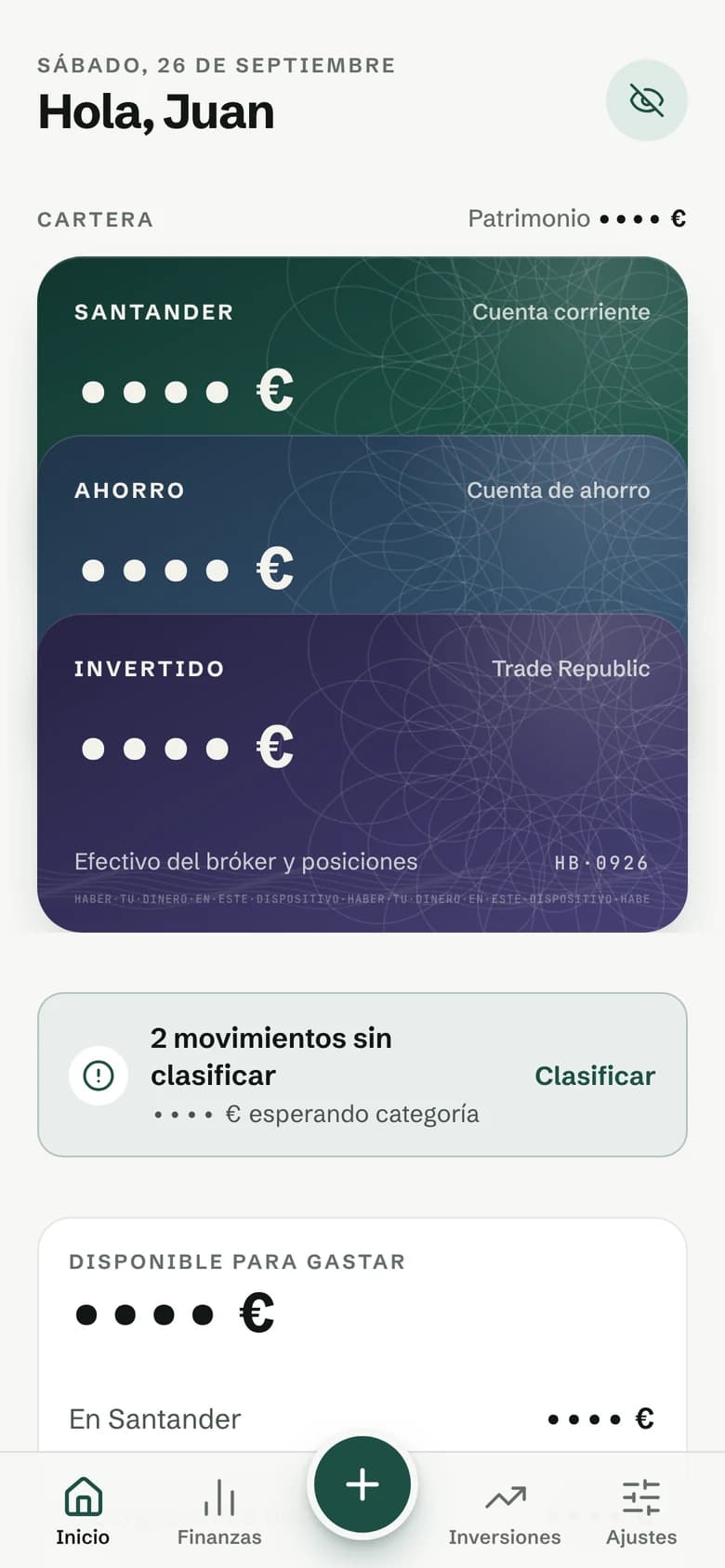
07 · Privacy
Your figures, only when you want them.
One tap hides every amount, so you can use the app in public.
10 / How it works
Six gestures, thirty-six seconds.
11 / System
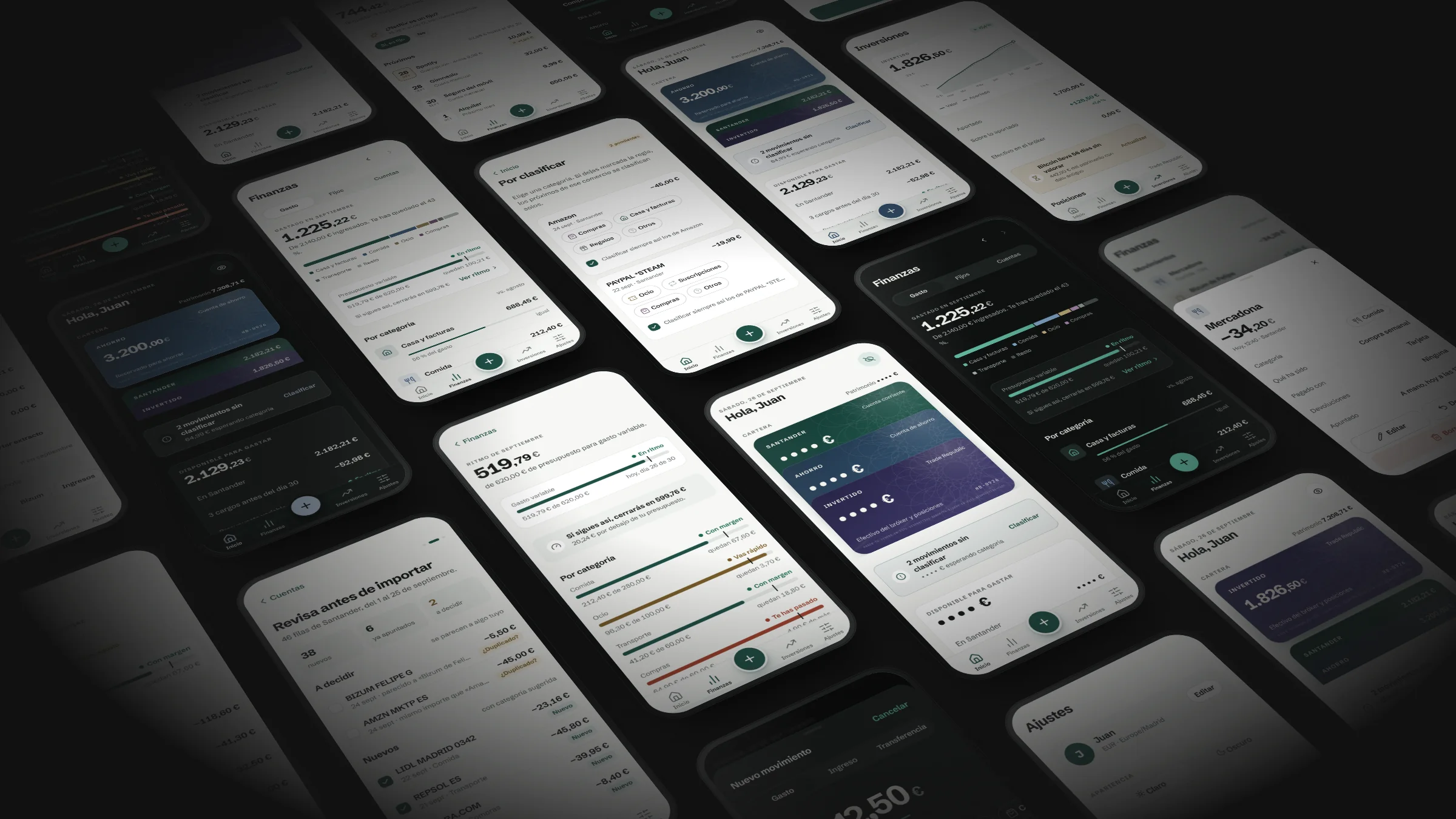
Eighteen screens and flows. One system.
Shared tokens, components, motion and copy rules, in light and dark, so that every new screen is consistent from the start.
12 / Principles
What Haber doesn't do.
It doesn't connect to your bank.
Statements are imported by hand, with a preview. Nobody else reads your transactions.
It doesn't use AI to calculate.
Balances, budgets and net worth come from a deterministic, tested core.
It doesn't congratulate you for saving.
No gamification, no confetti and no exclamation marks.
It doesn't paint the non-urgent red.
Red is kept for going over budget, losses and deleting. Everything else, in brass.
It doesn't invent months without data.
Charts show only what was recorded. An empty month stays empty.
13 / Evidence · Haber personal project
Haber · Version documented in September 2026. These figures belong exclusively to the personal project.
14 / Decision value
Haber shows how I carry a strategic decision all the way to the product: researching the category, finding the gap, naming it, giving it an identity of its own and building it with clear judgement about what not to do.